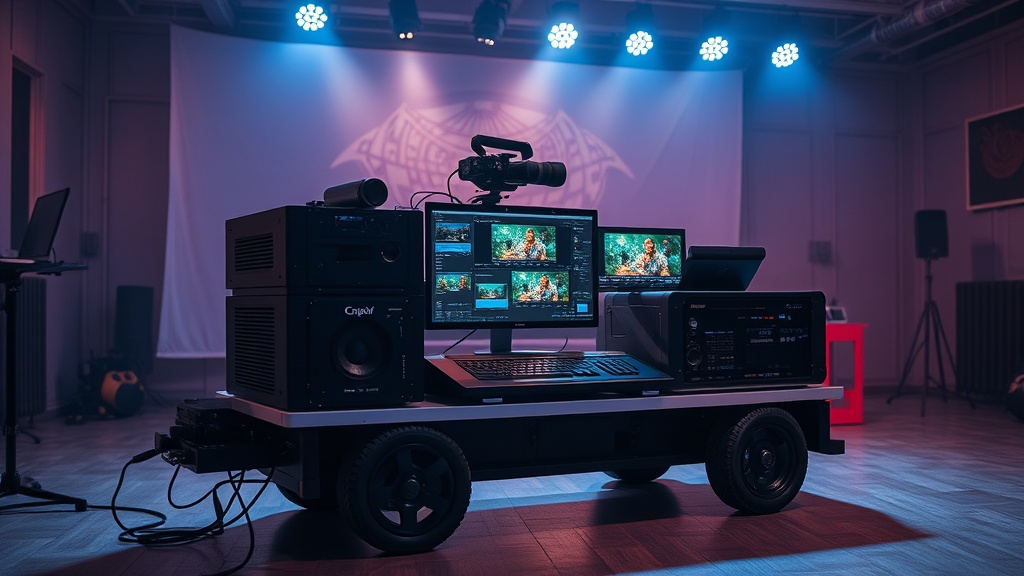
Building a High-Performance Mobile Video Editing Station

A 4K ProRes RAW file sits on a ruggedized SSD, waiting to be scrubbed through a timeline, while a portable power station hums quietly in the corner of a van parked near the trailhead in North Cascades National Park. Building a mobile video editing station requires more than just buying the most expensive laptop on the market; it requires a calculated balance of thermal management, power draw, and data throughput. This guide breaks down the essential components needed to build a professional-grade editing rig that functions reliably in remote environments, focusing on the actual performance-to-weight ratio and long-term durability.
The Core: Processing Power and Thermal Stability
The biggest mistake in mobile editing is prioritizing thinness over thermal headroom. In a controlled office environment, a MacBook Air might handle a 10-bit 4K timeline with ease, but under the direct sun of a high-altitude campsite or inside a vehicle, the chassis will throttle within fifteen minutes of a heavy render. For a high-performance mobile station, you need a machine with active cooling and a high TDP (Thermal Design Power) ceiling.
When selecting a primary machine, look at the silicon architecture. The Apple M3 Max series is currently the gold standard for mobile color grading and timeline scrubbing due to its dedicated media engines. However, if you are running a Windows-based ecosystem for 3D integration or specific plugins, a laptop equipped with an NVIDIA RTX 40-series GPU is non-negotiable. The CUDA cores are essential for accelerating effects in Premiere Pro and DaVinci Resolve.
Key Specifications to Demand:
- RAM: Minimum 32GB. If you are working with heavy After Effects compositions or high-resolution textures, 64GB is the baseline to prevent system swap fatigue.
- Display: Look for a minimum of 1,000 nits peak brightness and 100% DCI-P3 color coverage. If you are working outdoors, a standard 500-nit screen will be unreadable under direct sunlight.
- Ports: Ensure the machine has at least two Thunderbolt 4 ports to handle high-speed external drive arrays and external displays without needing a daisy-chain of cheap, unreliable hubs.
Storage Architecture: Speed vs. Redundancy
Relying on a single internal drive is a recipe for catastrophic failure in the field. A professional mobile setup uses a tiered storage hierarchy: a high-speed working drive, a medium-speed scratch drive, and a long-term backup. This prevents a single hardware failure from erasing weeks of footage.
For your active working drive, skip the standard consumer portable SSDs and opt for NVMe-based external drives. The Samsung T7 Shield or the SanDisk Professional PRO-BLADE are reliable because they offer better impact resistance and thermal dissipation. For high-bitrate footage like 8K RED or Arri RAW, you will need a drive capable of at least 1,000 MB/s sustained read/write speeds to avoid dropped frames during playback.
The Tiered Storage Model:
- Primary Working Drive: NVMe SSD (e.g., Samsung T7) for active project files and media.
- Scratch/Cache Drive: A separate, fast SSD dedicated solely to cache files and render files to reduce the I/O load on your primary drive.
- Field Backup: A high-capacity HDD or a secondary large-capacity SSD to mirror your project before you leave a location.
If you are working in environments with significant temperature swings, you must also consider how your storage reacts to the environment. It is critical to understand protecting your tech from extreme cold and condensation, as rapid temperature changes can cause internal moisture to form on your drive controllers, leading to data corruption.
Power Management: Sustaining the Workflow
A high-performance laptop under a heavy render load can pull anywhere from 60W to 150W of power. This is where most mobile setups fail. Most standard USB-C power banks are insufficient for a professional workflow; they are designed for phone charging, not sustained high-voltage delivery. You need a power source that supports USB-C PD (Power Delivery) at 100W or higher, or a dedicated DC input.
For true off-grid capability, a portable power station is the backbone of your station. I recommend the Jackery Explorer series or EcoFlow Delta models because they provide pure sine wave AC output. This is vital for sensitive electronics like high-end monitors or specialized studio lights. When calculating your runtime, do not just look at the total Watt-hours (Wh). Calculate your "Total System Draw"—which includes your laptop, external drives, and monitor—to ensure you won't be left in the dark mid-render.
"A common error is calculating power needs based on the laptop alone. In reality, your external SSD array and color-accurate monitor can add another 40-60W to your continuous draw, cutting your estimated battery life by nearly half."
If you are relying on solar to replenish these stations, you need to be aware of efficiency losses. You can read more about why your solar panels aren't charging your gear fast enough to understand why a 200W panel might only yield 120W of actual usable power in real-world conditions.
The Peripheral Ecosystem: Ergonomics and Accuracy
Working on a laptop keyboard and trackpad for eight hours is a recipe for carpal tunnel and slow output. A mobile station requires a dedicated input method that is both portable and precise. For color grading, a dedicated control surface like the Blackmagic Design DaVinci Resolve Speed Editor provides a tactile advantage that a mouse simply cannot match.
Essential Mobile Peripherals:
- The Mouse/Trackpad: A high-precision mouse like the Logitech MX Master 3S offers programmable buttons that can be mapped to specific tools in Premiere or Resolve, significantly speeding up your workflow.
- External Monitor: If you are working in the field, a portable monitor like the ASUS ProArt PA148 provides the color accuracy (Delta E < 2) required for professional grading, which most laptop screens lack.
- Cable Management: Use braided, high-speed Thunderbolt 4 cables. Cheap cables cause disconnects during high-speed data transfers, which can corrupt your project files.
Optimizing for the Field: The Cost-Per-Mile Metric
In the gear world, we often talk about "cost-per-mile," but for a digital nomad or a mobile editor, I prefer "cost-per-productive-hour." A $500 setup that crashes every time you try to render a 3D title is infinitely more expensive than a $3,000 setup that works flawlessly. When building your station, prioritize components that have a proven track record of reliability in non-ideal environments.
Avoid "lifestyle" tech. A sleek, ultra-thin laptop might look great in a coffee shop, but it will fail you in a van or a remote field site. Instead, look for "prosumer" or "industrial" grades of equipment. This means looking for IP-rated dust and water resistance for your storage, high-wattage power delivery for your electronics, and high-nit brightness for your displays. A high-performance mobile station is not just a collection of gadgets; it is a synchronized system designed to withstand the friction of the real world.