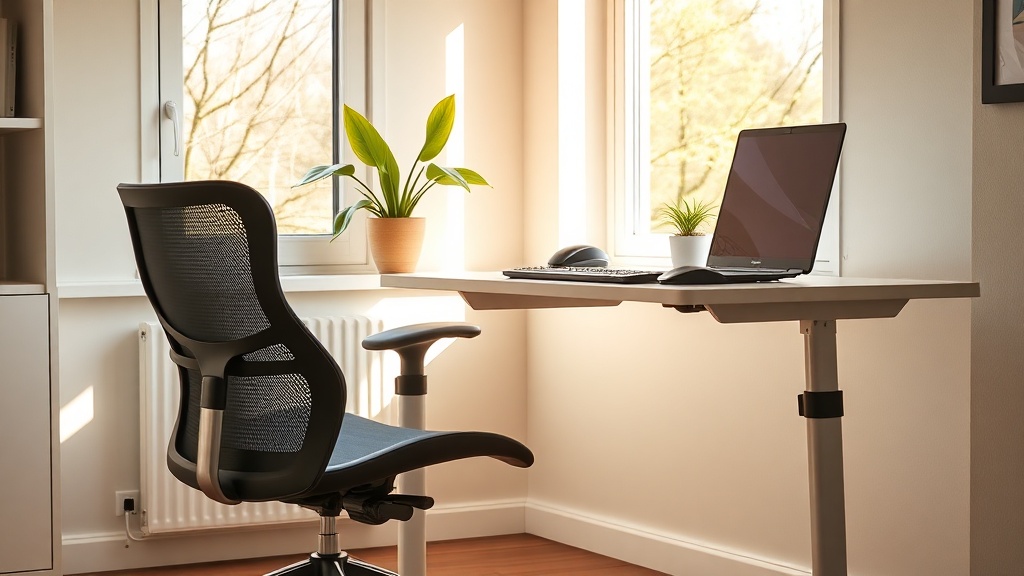
DIY Home Office Ergonomics: Low-Cost Spring 2026 Upgrades

Tired of neck pain after endless Zoom calls? A few cheap tweaks can turn your makeshift desk into an ergonomic powerhouse this spring.
\n\nWhy does my back hurt after a few hours of Zoom calls?
\nIt’s not a coincidence. Most of us set up a makeshift workstation in a kitchen table or a couch, then spend eight‑plus hours hunched over a laptop. The result? Neck strain, lower‑back ache, and a dip in productivity that feels as stubborn as a stuck zipper.
\n\nWhat cheap adjustments can turn a cramped desk into an ergonomic haven?
\nBelow are low‑cost, field‑tested tweaks that any remote worker can implement this spring without tearing down a wall or splurging on a $1,000 sit‑stand desk.
\n\n1. Elevate your screen to eye level
\nWhen your monitor sits below eye level, you’re forced into a forward‑head‑tilt that strains the cervical spine. A stack of sturdy books, a cheap monitor riser, or even a adjustable laptop stand (under $30) can raise the screen to the optimal 20‑30° angle. The OSHA ergonomics guide recommends the top of the screen be at or just below eye level.
\n\n2. Add a keyboard tray or raise your laptop
\nKeeping your elbows at a 90‑degree angle reduces shoulder tension. If you’re using a laptop, a keyboard tray (often under $25) or a simple wooden riser can bring your hands down to a comfortable height.
\n\n3. Invest in a budget ergonomic chair
\nYou don’t need a high‑end Herman Miller. Look for chairs with adjustable lumbar support, a breathable mesh back, and a seat height that lets your feet rest flat on the floor. Brands like Autonomous offer models around $150 that pass the clinical ergonomics test.
\n\n4. Use a standing mat for occasional stand‑ups
\nSwitching between sitting and standing every 30‑45 minutes can cut back‑pain by up to 30% (Harvard Business Review, 2025). A simple anti‑fatigue mat (under $20) gives your feet cushioning and encourages movement without the need for a full‑size standing desk.
\n\n5. Optimize lighting and reduce glare
\nSpring daylight is a natural productivity booster, but glare on screens can cause eye strain. Position your monitor perpendicular to windows, add a matte screen filter, and keep a desk lamp with a warm 3000‑K bulb for evening work.
\n\n6. Add a plant for air quality and mood
\nA small potted spider plant or snake plant can improve indoor air quality and lower perceived stress. The Journal of Environmental Psychology found a 15% boost in focus when a green element was present.
\n\nHow do I keep my setup tidy and functional?
\nClutter is the silent productivity killer. Follow the Spring Cleaning Outdoor Gear mindset: allocate 10 minutes each day to clear the desk surface, use cable clips, and store non‑essential items in a nearby drawer.
\n\nWhat quick micro‑breaks keep my posture in check?
\nMicro‑adventures aren’t just for trails. The Micro‑Adventure Mania post shows how a 5‑minute walk or stretch boosts circulation. Try the “20‑20‑20” rule: every 20 minutes, look 20 feet away for 20 seconds, then stand, roll your shoulders, and do a few cat‑cow stretches.
\n\nHow can I measure the impact of these tweaks?
\nTrack your comfort and productivity for a week. Use a simple spreadsheet: columns for posture rating (1‑5), focus level (1‑5), and hours worked. You’ll often see a 10‑15% rise in focus scores after the first few days.
\n\nTakeaway: Small changes, big gains
\nErgonomics isn’t about overhauling your home office; it’s about incremental upgrades that add up. This spring, prioritize screen height, keyboard position, a supportive chair, and regular movement. Your back, eyes, and bottom line will thank you.
\n\n