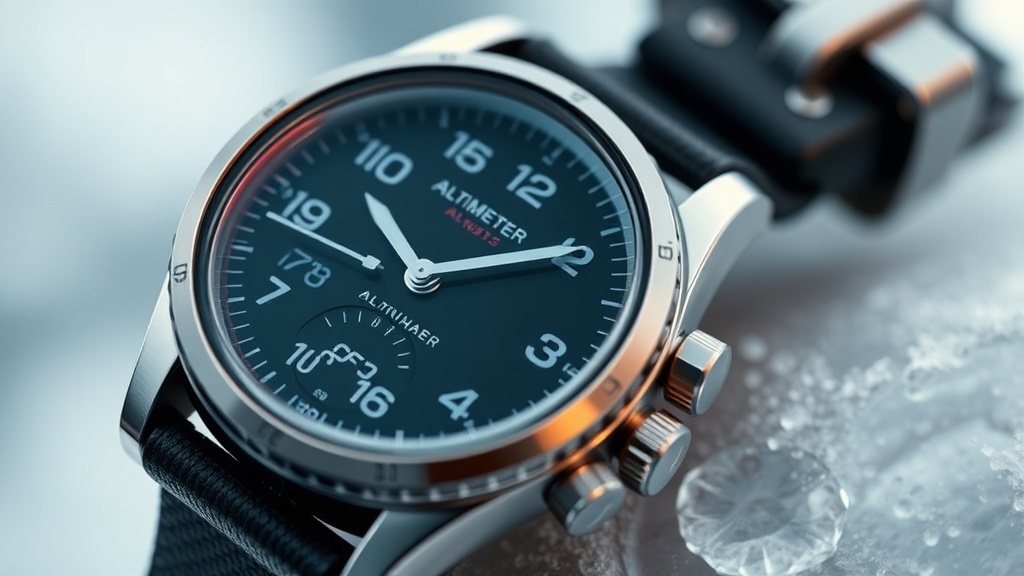
Nailing Your Elevation: Calibrating Altimeter Watches for Real-World Accuracy

Most consumer GPS watches can be off by as much as 100 feet in elevation due to barometric drift within just a few hours of hitting the trail. This isn't just a minor annoyance for your digital logbook; it’s a genuine risk when you’re trying to find a specific ridge line or creek crossing in a whiteout. This guide covers the mechanics of how your wrist-based sensors actually work and how to keep them pinned to reality when the weather starts to shift. Getting this right is about more than just vanity metrics—it’s about ensuring the gear you paid hundreds of dollars for actually does its job when the chips are down.
As an industrial designer, I look at these gadgets through the lens of sensor integration. Most high-end outdoor watches use a barometric altimeter because it consumes less power than constant GPS pings and offers better granular resolution for small climbs. But there’s a catch. These sensors are essentially open to the elements (look for that tiny hole on the side of your watch case). If that hole gets plugged with sweat, mud, or even just high-velocity wind, your readings will go haywire. Understanding the balance between air pressure and physical height is the first step toward better data.
Why is my altimeter watch reading the wrong elevation?
Barometric altimeters don't actually measure height—they measure air pressure. As you go higher, the air gets thinner, and the pressure drops. Your watch sees that drop and performs a calculation to estimate your altitude. The problem is that weather systems also change air pressure. If a storm front rolls in while you're sitting at camp, your watch thinks you just climbed 200 feet even if you haven't moved an inch from your sleeping bag. This is known as barometric drift. Without regular check-ins, your watch starts to lose its grip on where you actually are in space.
Another factor is temperature. Most modern sensors are temperature-compensated, but they aren't perfect. If your watch is under a jacket sleeve, it’s staying warm from your body heat. If you suddenly expose it to sub-freezing air, the sensor might need a few minutes to stabilize. You’ve likely noticed your elevation jumping around during a steep descent—that’s often the sensor trying to keep up with rapid changes in both pressure and ambient temp. To get the best results, you need to understand that your watch is a reactive tool, not a proactive one.
How do I calibrate a barometric altimeter for better accuracy?
The most reliable way to calibrate your watch is by using a known benchmark. This means manually entering the elevation when you are at a spot where the height is documented. Trailheads, mountain summits, and even some bridge crossings often have surveyed elevation markers. You can find these on high-quality topographic maps or by checking the USGS (United States Geological Survey) databases before you head out. When you reach one of these points, go into your watch settings, find the Altimeter menu, and select 'Calibrate.' Enter the known elevation and hit save. This resets the baseline for the sensor.
If you don't have a surveyed marker handy, you can use your current sea-level pressure (also known as station pressure). You can find this on local weather reports or via the NOAA (National Oceanic and Atmospheric Administration) website. Entering the current pressure allows the watch to calculate your altitude based on the standard atmosphere model. I usually do this at the trailhead right before I start my timer. It takes thirty seconds but saves me from dealing with skewed data three hours later. Think of it as the cost-per-mile of your data integrity; if you don't spend the time at the start, the rest of your track is basically fiction.
When should I use GPS auto-calibration instead of manual entry?
Many modern watches from brands like Garmin, Suunto, and Coros offer an 'Auto-Calibrate' feature. This uses GPS data to periodically reset the barometric sensor. While this sounds like a set-it-and-forget-it dream, it has limitations. GPS is great at horizontal positioning (latitude and longitude) but notoriously mediocre at vertical accuracy. This is due to the shape of the Earth (the ellipsoid) and the way GPS satellites are positioned in the sky. If you have a weak satellite lock—say, in a deep canyon or under heavy tree cover—the GPS-based elevation could be off by 50 or 100 feet, which then 'infects' your barometer with bad data.
I recommend using auto-calibration only when you are in wide-open terrain with a clear view of the sky. If you are in the woods or moving through technical terrain, manual calibration is king. Some watches use a hybrid approach (like Suunto’s FusedAlti), which blends GPS and barometric data over time to smooth out the spikes. It’s better than raw GPS, but it still can't beat a manual entry at a known peak. If you're serious about your mountain stats, you should be checking your elevation against your map every time you hit a major landmark. It's a habit that keeps your brain—and your watch—calibrated to the terrain.
Keep an eye on the weather trends too. If the barometric pressure is dropping fast, your watch will show you gaining altitude. If you see this happening while you’re actually on a flat section of trail, it’s a clear sign that a low-pressure system is moving in. This is why some watches have a 'Storm Alert' feature. It’s not magic; it’s just the watch noticing a pressure drop that doesn't match your movement data. It’s a handy trick that turns your tech into a literal life-saver when you’re miles from the nearest shelter.
Lastly, pay attention to how you wear the device. If you’re wearing it tight against your wrist, you might be blocking the sensor ports with your skin. I’ve seen people complain about 500-foot errors simply because their wrist bone was acting like a plug for the barometer. Loosen the strap a notch or move it slightly up your arm. Also, keep the watch clean. Salt from dried sweat is the enemy of fine sensors. A quick rinse with fresh water after every outing will keep those tiny ports clear and your data crisp. Don't let a bit of grime turn your high-tech tool into a guessing machine.